

About the App
Make your Discord status part of the game.
DynForge lets you customize Discord Rich Presence and send automatic webhook messages using live data from supported games. Choose what to show, add the variables available for your game, and select the events that trigger updates.
A status that follows your gameplay
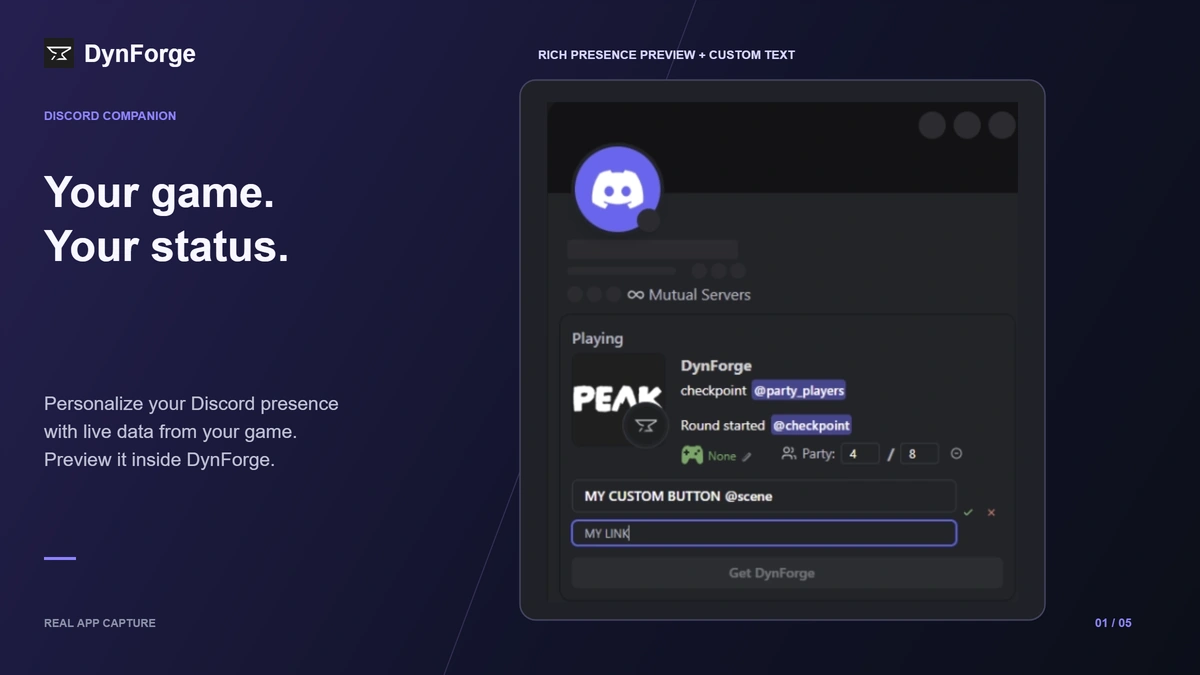
Create your own Rich Presence text with game variables. Show the information you care about, such as a match start, your party or an in-game checkpoint, when supported by the selected game. Preview your setup inside the app before using it.
Your events. Your updates.
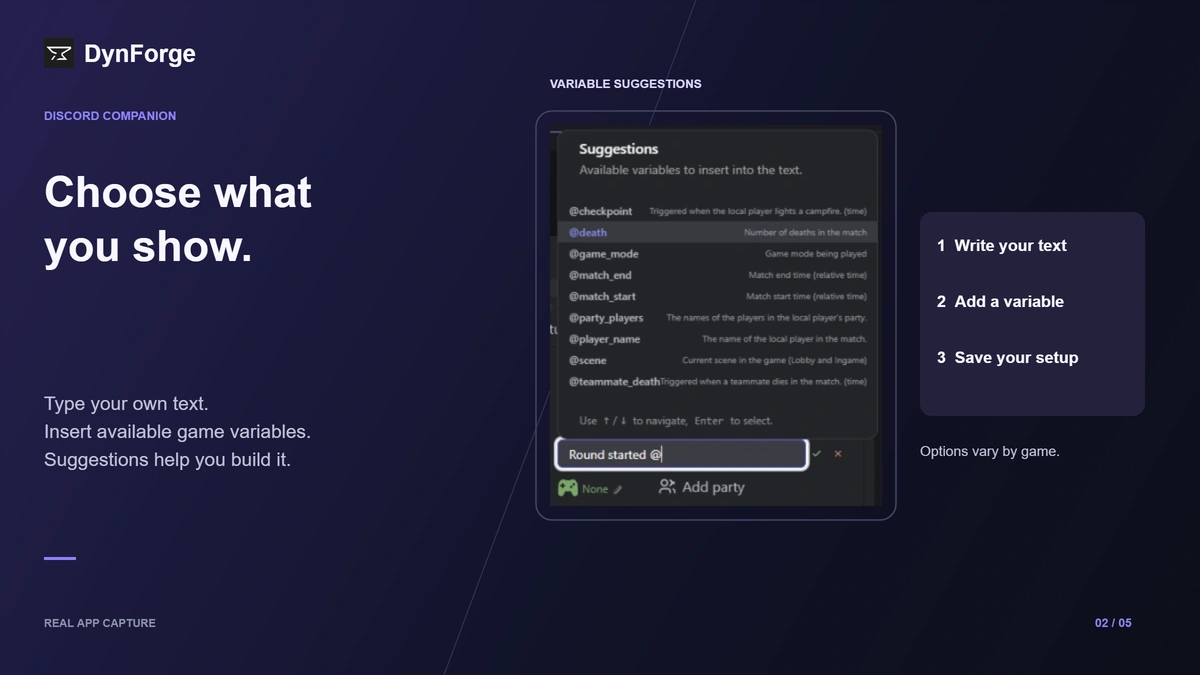
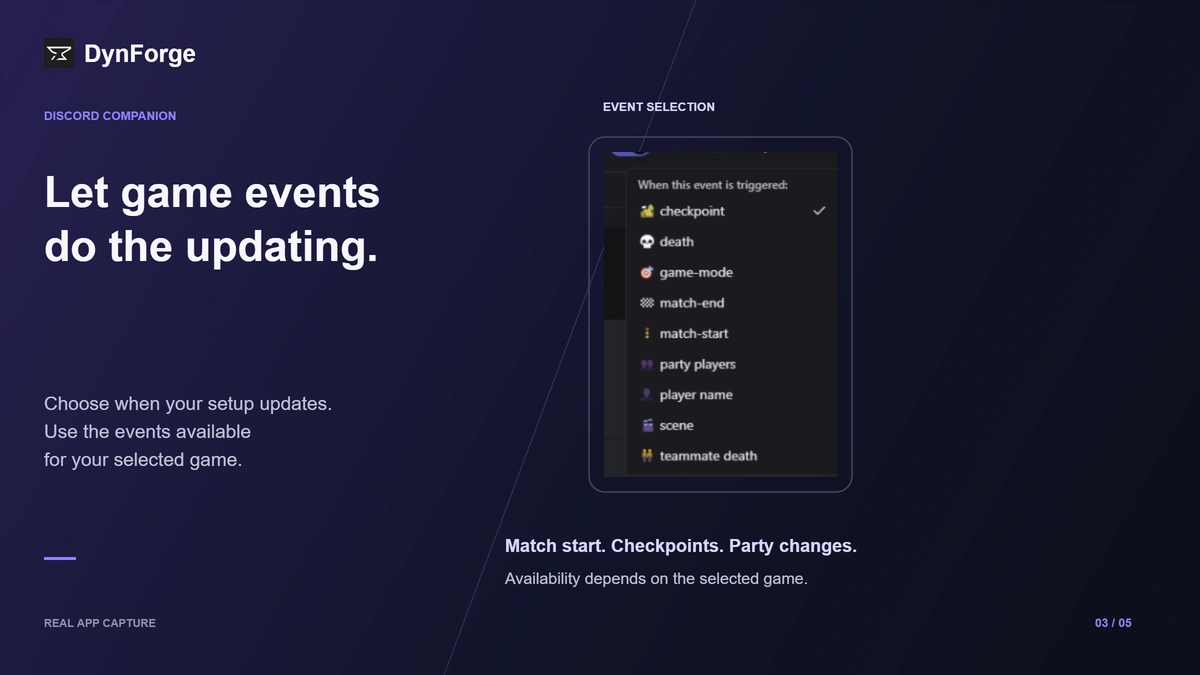
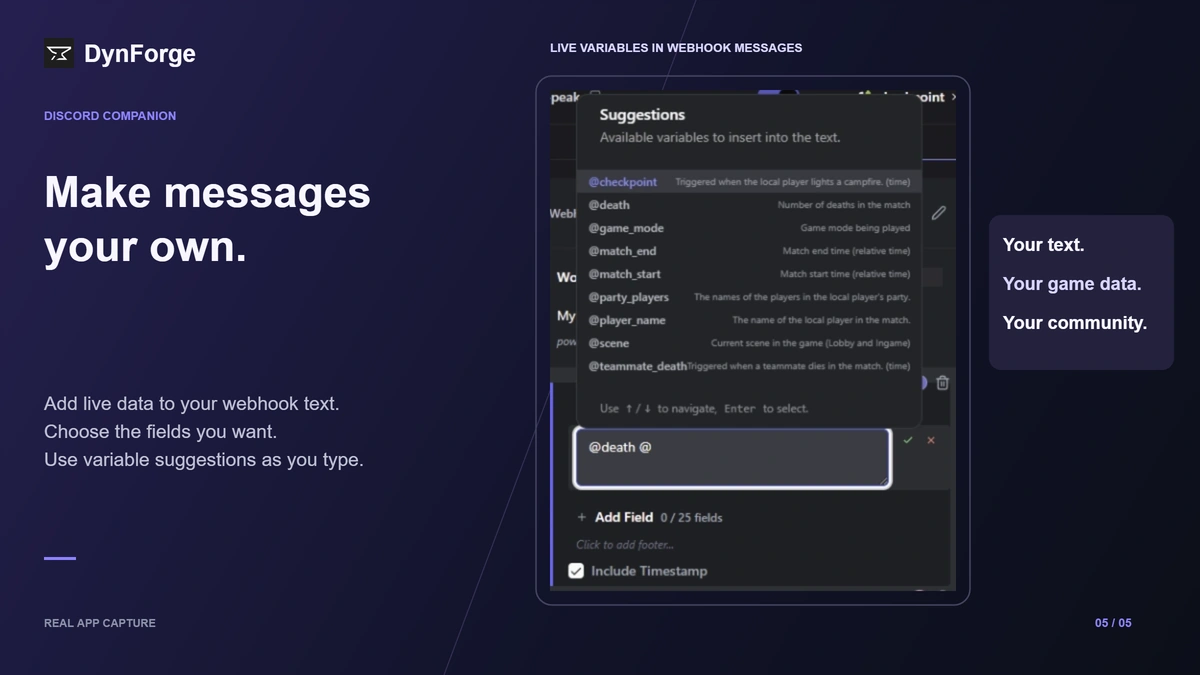
Choose which game events update your presence or trigger a webhook. The app shows the available events and suggests variables as you type, so you can build your setup without writing code.
Automatic messages for your server
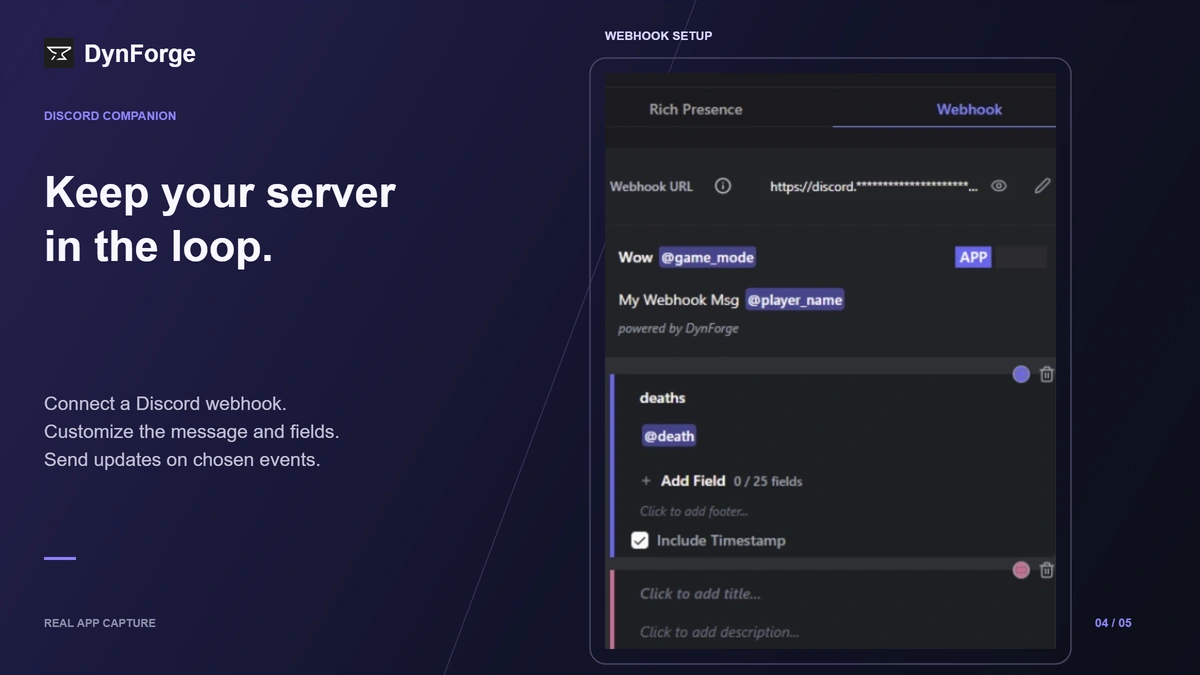
Connect a Discord webhook, customize its message and fields, and use game variables to fill in the details. Keep your community updated when your chosen events occur.
Set it up your way
- Custom Rich Presence text with live game variables
- Event selection for automatic updates
- Variable suggestions while you type
- Custom presence buttons and links
- Webhook messages with configurable fields and timestamps
- Separate setups for supported games
Supported titles include PEAK, Minecraft, Fortnite, VALORANT, League of Legends, CS2, Roblox and Marvel Rivals, among others. Available events and variables vary by game; check the options shown for your selected title.
Choose a game, personalize your status, and let DynForge handle the updates.
Free with ads. Runs on Windows through Overwolf.
App Info
 Overwolf Client (3.0MB)
- 1.25.0
- Sep 29th, 2026

 In-App Ads